Building Production Multi-Agent AI Systems with OpenAI Agents Python SDK
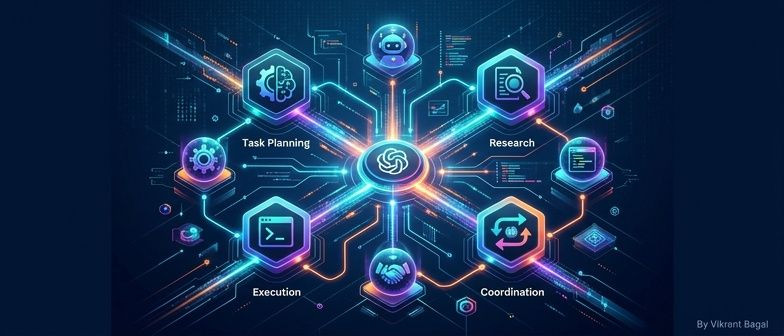
Building Production Multi-Agent AI Systems with OpenAI Agents Python SDK
TL;DR: OpenAI's official Agents SDK provides a production-ready framework for building multi-agent AI workflows. Learn how to create specialized agents, implement handoffs, add guardrails, and deploy voice-enabled AI systems.
The Problem
Building AI agents in production is hard. You need to handle tool execution, manage conversation history, implement safety checks, debug complex workflows, and scale to multiple agents — all while keeping costs under control.
Most developers end up building custom frameworks from scratch or using experimental libraries that don't scale.
The OpenAI Agents Python SDK changes this.
What is OpenAI Agents SDK?
A lightweight, powerful framework for multi-agent workflows that's provider-agnostic, supporting OpenAI APIs as well as 100+ other LLMs.
Key Features:
- Agents with instructions, tools, guardrails, and handoffs
- Tools for function execution
- Guardrails for safety checks
- Human-in-the-loop for critical decisions
- Sessions for conversation history
- Tracing for debugging and monitoring
- Realtime agents for voice applications
Basic Agent Setup
from openai.agents import Agent, Runner

agent = Agent(
    name="Assistant",
    instructions="You are a helpful assistant",
    model="gpt-4o-mini",
)

result = await Runner.run(agent, "Hello!")
print(result.output)
Why this works: The Runner handles the entire flow — conversation history, tool execution, and response management.
Multi-Agent Handoffs
from openai.agents import Agent, Runner

# Specialist agents
coding_agent = Agent(
    name="Coder",
    instructions="You are a coding expert",
    model="gpt-4o-mini",
)

research_agent = Agent(
    name="Researcher",
    instructions="You are a research expert",
    model="gpt-4o-mini",
)

# Router agent
router = Agent(
    name="Router",
    instructions="Route to appropriate specialist",
    model="gpt-4o-mini",
    handoffs=[coding_agent, research_agent],
)

result = await Runner.run(router, "Write a Python function")
Tools Integration
from openai.agents import Agent, Runner, tool

@tool
def search_docs(query: str) -> str:
    """Search documentation"""
    return f"Results for: {query}"

agent = Agent(
    name="Researcher",
    tools=[search_docs],
    model="gpt-4o-mini",
)

result = await Runner.run(agent, "What is 2+2?")
Guardrails
from openai.agents import Agent, Runner, Guardrail

def validate_input(input_text: str) -> bool:
    return len(input_text) < 1000

guardrail = Guardrail(validate_input=validate_input)

agent = Agent(
    name="Assistant",
    guardrails=[guardrail],
    model="gpt-4o-mini",
)
Best Practices
- Always use guardrails — Protect your application with validation
- Enable tracing — Debug and monitor production workflows
- Human-in-the-loop — Critical decisions need human review
- Optimize token usage — Concise instructions, cache responses
Conclusion
The OpenAI Agents SDK provides everything you need for production multi-agent systems:
- Provider-agnostic (100+ LLMs)
- Production-ready safety features
- Voice-enabled with realtime agents
- Comprehensive tool and handoff support
Whether you're building customer support, research workflows, or voice agents, this SDK has you covered.
Final Question: What multi-agent workflow would you build with this SDK?
— Vikrant Bagal Senior Software Engineer & AI Architect LinkedIn
#openai #agents #ai #python #multimodal #llm #devtools #2026Tech